Tiny USB Knob Firmware Update (PC)
To update the firmware on your Tiny USB Knob you will need a PC running Windows 7 or later. It might work in a VM but I think probably not. The VM would need USB passthrough, available in VirtualBox, not sure about others.
- Install WCHISPTool
Visit the link above and click the download button

- Download firmware
For ORIGINAL VERSION (USB Micro-B female)
- To flash as a USB Volume knob, download tiny_usb_knob_2.0.bin
- To flash as a MIDI Control knob, download tiny_midi_knob_2.0.bin
For DIRECT (USB Type A male) VERSION 1 or 2
- To flash as a USB Volume knob, download hid_knob_DIRECT.bin
Note, there is no MIDI firmware available for DIRECT VERSION 1 or 2
- Run WCHISPTool
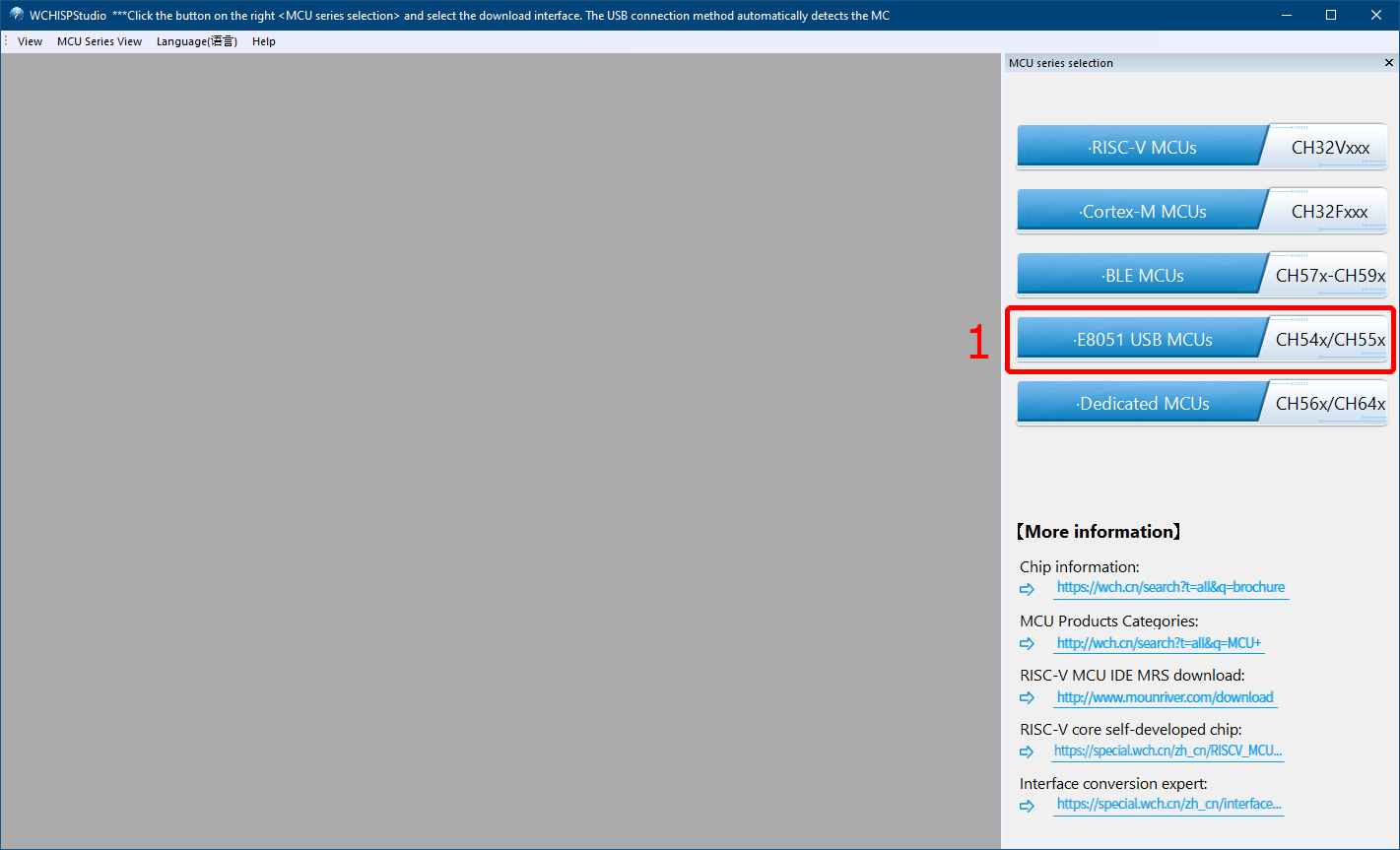
Click E8051 USB MCUs to get the right page up.
Now you should see something like this
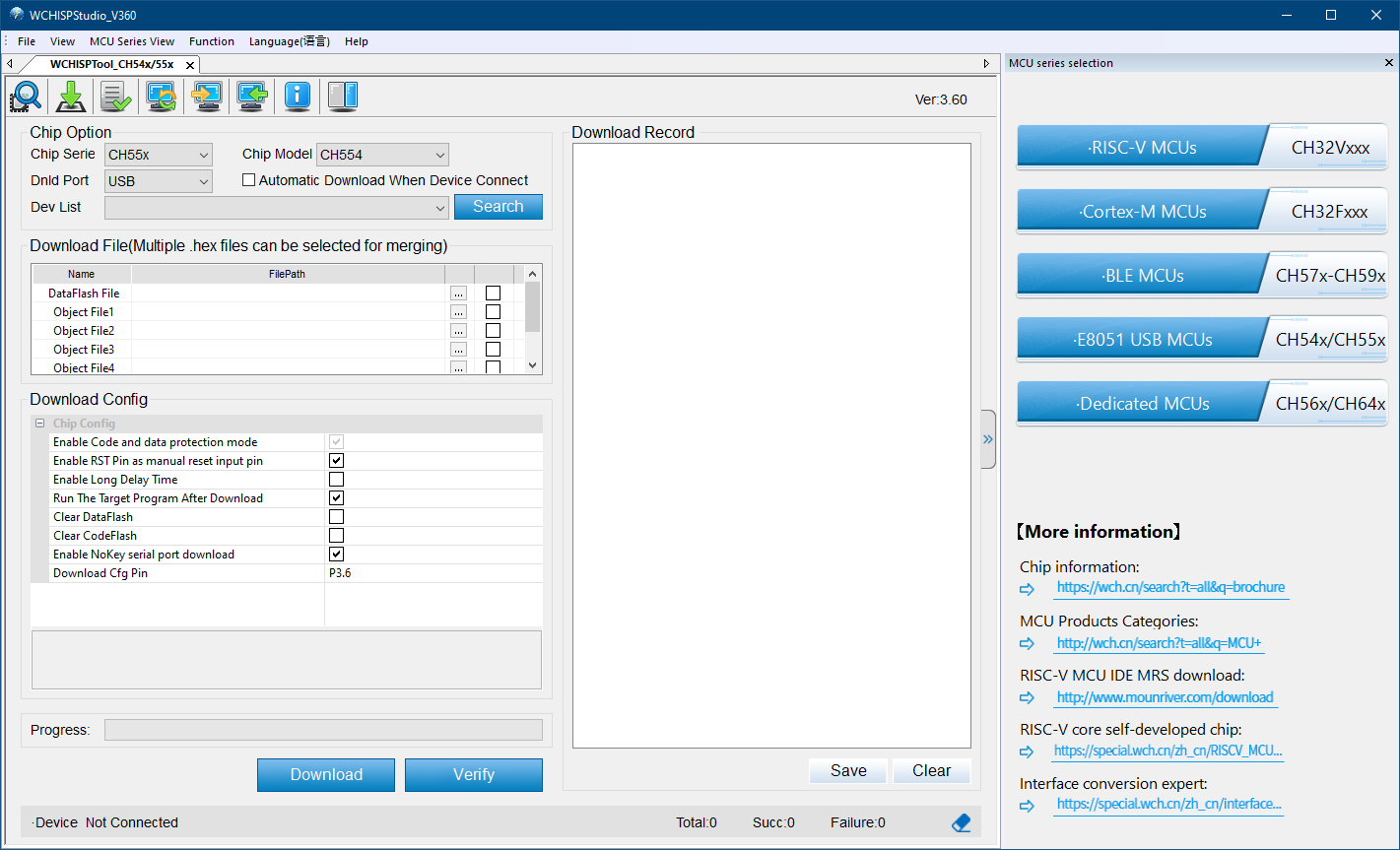
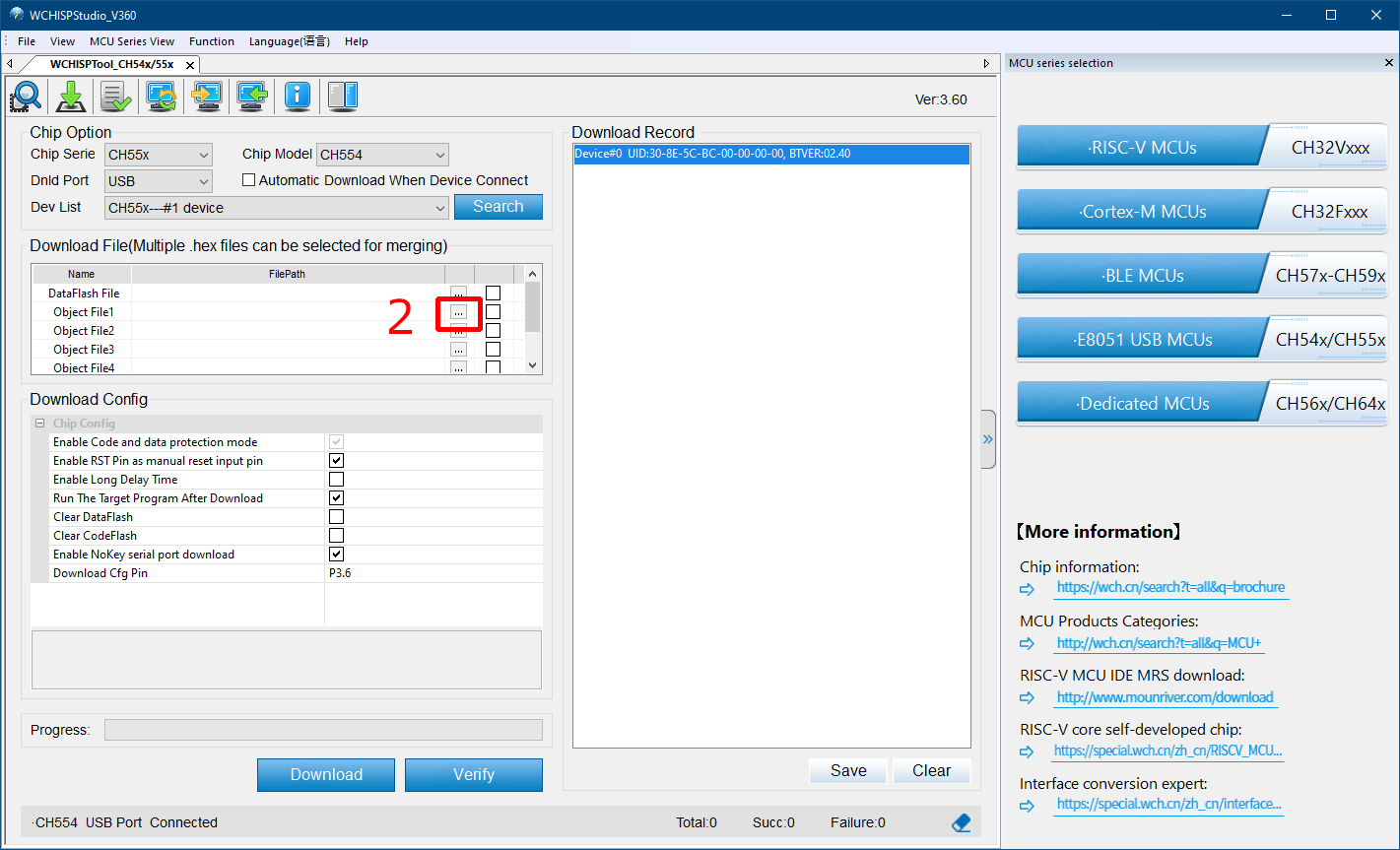
Click the browse button for 'Object File 1' and select the file you downloaded in step 2.
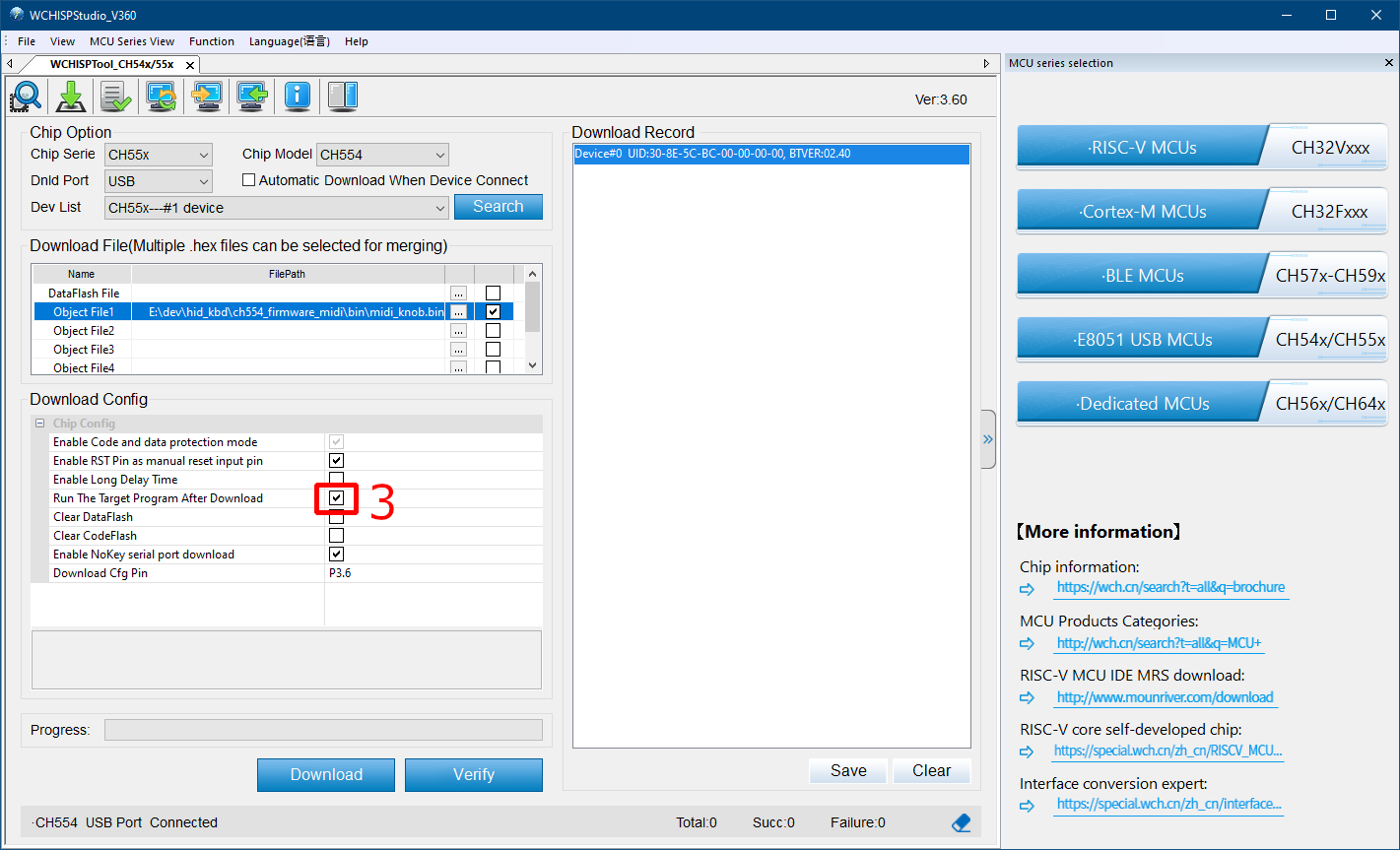
Make sure 'Run The Target Program After Download' is checked
- Flash the device
Press and hold the knob down while plugging in the device - this puts it into Firmware Flashing Mode (you should see the LED flicker briefly).
It should show up in the 'Dev List'. If it doesn't try clicking 'Search'
Click the 'Download' button to flash the device
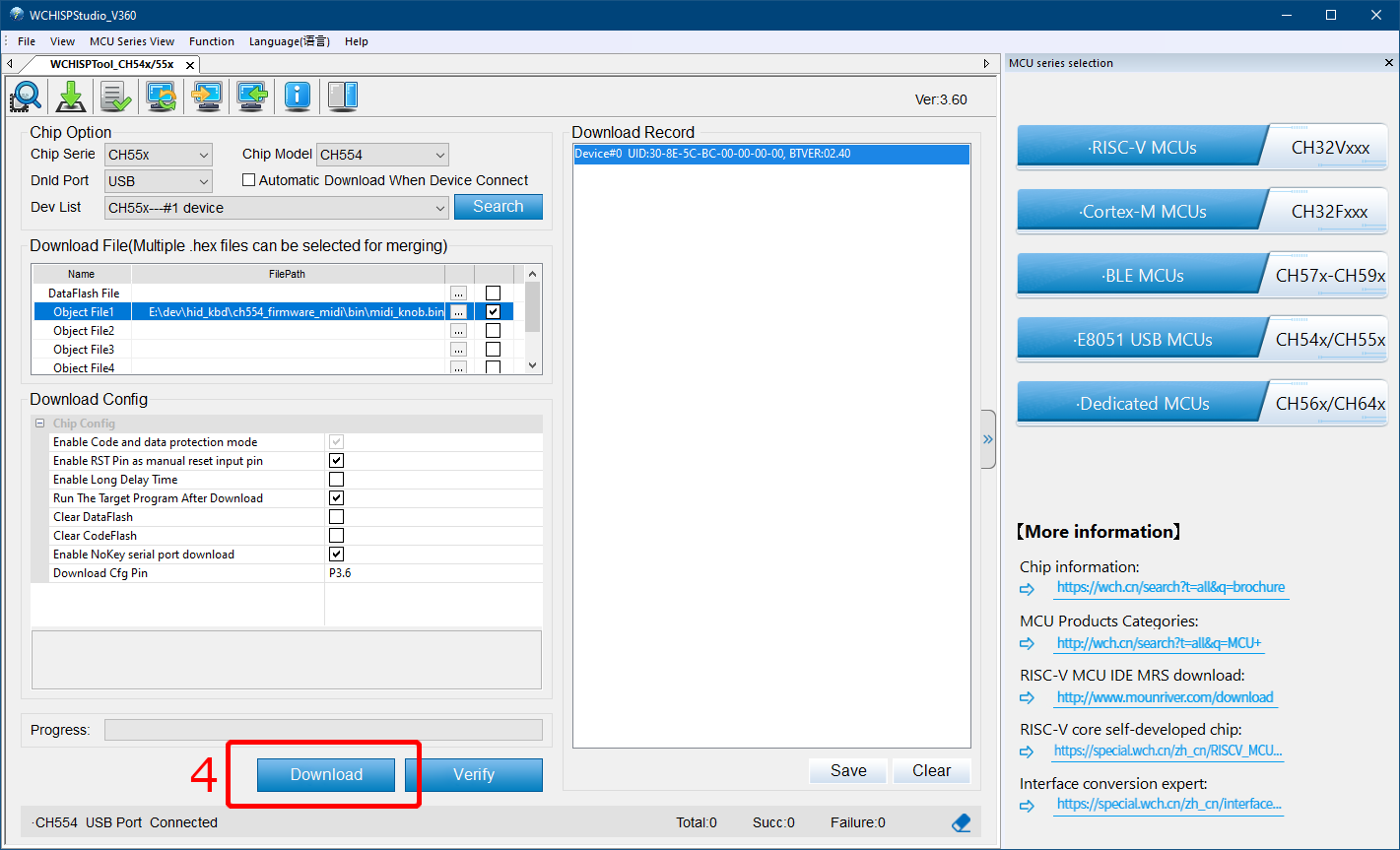
Inspect the 'Download Record' for any errors
Test the device - you will need to refresh the Web Config UI page or click 'Scan'.